What Does No Caller ID Mean? No Caller ID vs Unknown vs Private, Explained
The complete guide to understanding hidden caller types and what they mean for your safety

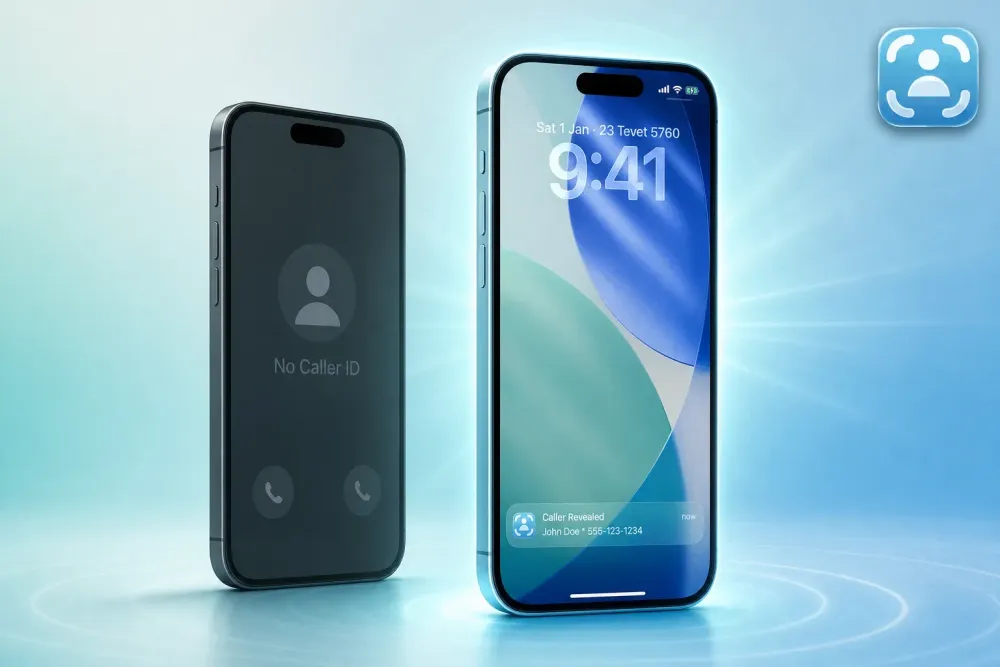
Your phone rings. The screen says "No Caller ID." You're stuck: pick up blind and risk a scam, or let it ring and never know if it was important. **"No Caller ID" means the caller intentionally blocked their number using 67 or a phone setting before the call left their device.* The number still exists in your carrier's routing system, but you're not allowed to see it. Here's what that label actually means, how it differs from "Unknown" or "Private," and how to reveal these hidden calls within seconds.

Photo: Pixabay
What "No Caller ID" Actually Means (The Technical Answer)
When your screen displays "No Caller ID," the caller took a deliberate step to hide their number before dialing. Two methods make this happen: dialing *67 before the number, or toggling "Show My Caller ID" to Off in their phone settings. Both send an instruction to the carrier: don't display this number to the recipient.
The number still exists. It has to. Your carrier routes the call through its network using that number. Without it, the call wouldn't connect. The carrier just obeys the caller's instruction not to show it to you.
That's the key difference between No Caller ID and a technical glitch. This is intentional hiding, and it's why scammers, robocallers, and debt collectors use it so often. The FTC warns that hiding caller information is a red flag for fraud, because legitimate businesses rarely need to block their numbers.
No Caller ID vs Unknown vs Private vs Blocked (The Real Differences)
Your carrier uses different labels depending on why it can't display a number. Here's what each one means:
No Caller ID / Blocked: The caller intentionally hid their number using *67 or a device setting. This is active concealment.
Unknown: Your carrier received the call, but the Caller ID field arrived empty or corrupted. This happens with international calls routed through multiple carriers, older VoIP systems, or PBX setups that don't send Caller ID data. It's a technical issue, not intentional hiding.
Private / Restricted: Carrier-specific synonyms for No Caller ID. AT&T often displays "Private." Verizon uses "Restricted." The behavior is identical: the caller blocked their number before dialing.
Some carriers use these labels interchangeably. That's why you might see "Private" on one call and "No Caller ID" on another from the same source. The underlying cause is the same: the caller doesn't want you to see their number. Our help center breaks down private vs unknown calls in more detail.
| Label You See | What It Means | Why You See It | Can Traceback Reveal It? |
|---|---|---|---|
| No Caller ID | Caller intentionally hid their number | Instruction sent to carrier before call connects | Yes |
| Blocked | Same as No Caller ID (carrier-specific wording) | Same as above | Yes |
| Private | Same as No Caller ID (AT&T often uses this label) | Same as above | Yes |
| Restricted | Same as No Caller ID (Verizon often uses this label) | Same as above | Yes |
| Unknown | Carrier couldn't read the Caller ID field | Technical issue, international routing, old systems | Yes (if the number exists in routing data) |
Why People Hide Their Numbers (And When It's a Red Flag)
A few callers have legitimate reasons to block their numbers. Doctors' offices calling about test results, domestic violence hotlines like the National Domestic Violence Hotline, law enforcement in specific investigations, and HR departments reaching out about job offers sometimes use No Caller ID to protect privacy.
But the majority of hidden calls aren't legitimate.
Scammers hide their numbers to avoid being reported or blocked. Debt collectors sometimes block Caller ID to bypass regulations that require disclosure. Robocallers use No Caller ID to get past spam filters that rely on matching known bad numbers. Stalkers and harassers hide their numbers to avoid identification.
Traceback has revealed calls labeled No Caller ID or blocked from repeat spam sources, not one-time legitimate callers. If you're getting multiple No Caller ID calls in a week, it's almost never a doctor's office.
How to Reveal No Caller ID Calls Right Now (Step-by-Step Setup)
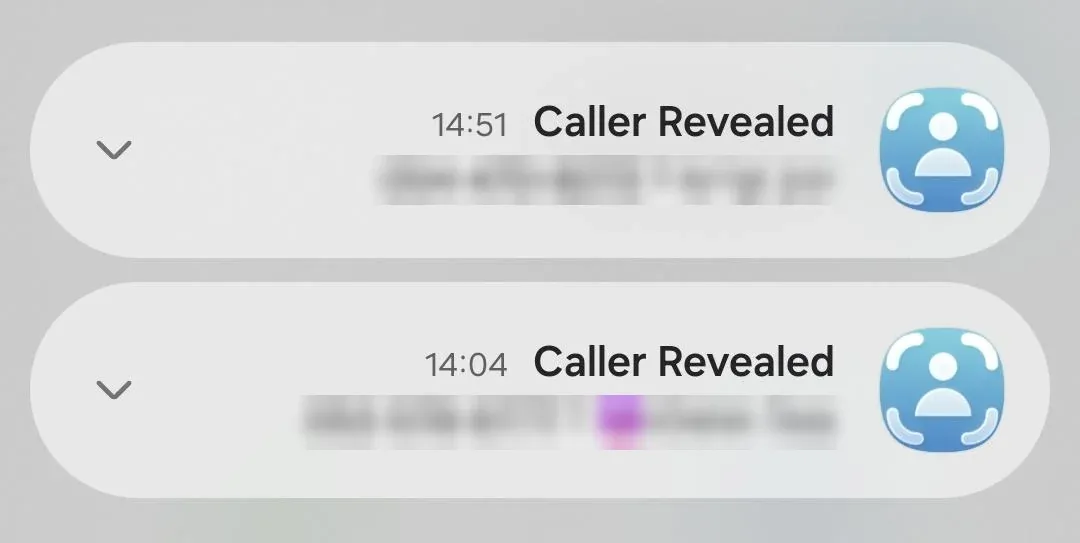
Traceback reveals the real number behind No Caller ID calls using conditional call forwarding. Here's how it works: when you decline or don't answer a call, your carrier can forward it to another number. Traceback intercepts that forwarded call, captures the real number (even though it was hidden from you), and sends it back within seconds.
This doesn't forward your normal answered calls. Only declined, unanswered, or busy calls. Your regular voicemail still works. You're just adding a layer that reveals hidden numbers before they disappear. You can see the full setup guide here, but here's the quick version:
- Sign up for Traceback's free trial. Download the app from the App Store or Google Play. Check if your carrier is supported (Verizon, AT&T, T-Mobile, and more are covered).
- Get your personal Traceback forwarding number. The app generates a unique number for you. This is where declined calls will route.
- Dial the carrier code to activate conditional forwarding. Traceback provides the exact code for your carrier. You dial it once, and forwarding activates instantly. No settings menus, no customer service calls.
- *Test it with a call from a friend using 67. Have someone dial *67 before your number. Decline the call. Check the Traceback app within seconds. You'll see their real number and name (when available).
- Review the revealed number in the Traceback app. Every forwarded call appears in your history. You can save a PDF report of any call to keep or share.
The setup takes under three minutes. Once it's active, you never think about it again. Decline a No Caller ID call, and Traceback handles the rest. See how Traceback works for more detail.
What to Do Right Now
- Check your recent calls list for "No Caller ID" entries. If you're seeing them regularly, you're being targeted.
- Sign up for Traceback's free trial. Visit us.trytraceback.com/pricing to start. No credit card required for the trial.
- Activate conditional forwarding. Use the carrier code Traceback provides. It works on Verizon, AT&T, T-Mobile, and more.
- Decline the next No Caller ID call. Let it forward to Traceback instead of sending it to voicemail or ignoring it.
- Check the app. See the real number and name within seconds.
- Save the report. Create a PDF of the revealed call to keep or share with authorities if needed.
Frequently Asked Questions
Can I reveal a No Caller ID call that already happened?
No. Traceback only works on future calls forwarded to the service. If the call already came and went, the routing data is gone.
Does the caller know I'm revealing their number?
No. They hear the same busy tone or voicemail greeting they'd hear if you declined normally. Traceback intercepts the call invisibly.
Will this work on international No Caller ID calls?
Yes, if the call routes through a US carrier like Verizon, AT&T, or T-Mobile. The number has to pass through your carrier's network for forwarding to work.
What if the caller is spoofing their number?
Spoofing and hiding are different tactics. Traceback reveals hidden, blocked, private, and No Caller ID calls. If the caller is spoofing (displaying a fake number that isn't hidden), Traceback shows that fake number as it appears in your carrier's routing data, not the real origin. Learn more about how Traceback handles spoofed calls.
What can I do with the revealed number?
Traceback generates a detailed PDF report you can save and share. You can block the number in your phone, report it to the FCC or FTC, or consult a lawyer if you believe you're being harassed or threatened.
What happens to my voicemail when I set up forwarding?
Normal voicemail still works. Conditional forwarding only activates when you actively decline a call or when your line is busy, not when a call goes to voicemail naturally.
How fast does Traceback reveal the number?
Within seconds of declining the call. You'll get a push notification with the number and name (when available).
Can I turn off call forwarding anytime?
Yes. Dial the deactivation code (provided in the app) and forwarding stops immediately. You can also block No Caller ID calls entirely and still reveal them if you want.
Why This Matters (And Why Most Advice Stops Short)
Most articles about No Caller ID stop at explaining the label. They tell you what it means, maybe warn you about scams, and leave you with "don't answer if you don't recognize it." That's not a solution. It's avoidance.
You're stuck not knowing if the call was a scammer or a legitimate contact who doesn't realize they blocked their number. You miss important calls. You get anxious every time "No Caller ID" appears. You can't report the call to the FCC or FTC because you don't have a number to report.
Traceback changes that. You decline the call, and within seconds you see who it was. If it's a robocaller, you block them. If it's a legitimate contact, you call back. If it's harassment, you save the report and file a complaint at reportfraud.ftc.gov with the number attached. You're not guessing anymore.
The next time your phone says "No Caller ID," you don't have to choose between risk and ignorance. Decline the call and let Traceback handle the rest. Start your free trial.
This article was written by Tom Aflalo, Co-Founder of Traceback. We built the service because we got tired of missing calls we couldn't identify. Everything here comes from routing data we see across our user base and the patterns in revealed calls we process.
Related: Numbo Alternative: How Traceback Reveals Hidden and No Caller ID Calls
By Tom Aflalo, Co-Founder · Last reviewed November 2026
Tom Aflalo is co-founder of Traceback, the app that reveals the real number behind hidden and No Caller ID calls. Traceback has revealed 167,000+ hidden and No Caller ID calls for 34,000+ people. We cite primary sources inline and check every article against how the app actually works.
⚠️ Disclaimer: This article is general information only and does not constitute legal advice. For any specific legal situation, consult a qualified attorney. Traceback is not responsible for legal outcomes.
Tom Aflalo is co-founder of Traceback, the app that reveals the real number behind hidden and No Caller ID calls. He works on the product and on the guides in this blog and help center, which are checked against how the app actually works.
feedback@trytraceback.com