iPhone: How to Identify Unknown Calls

Tired of “No Caller ID” and “Unknown” showing up instead of a real number? With Traceback set up on your iPhone, you can identify these calls and see who's really behind them.
A No Caller ID or Unknown call on iPhone doesn't show who is calling. With Traceback you can find out the real number: you decline the call, it forwards to us, and the number appears in the app, with a name when it's known. In this guide you'll find the setup, what happens during a call, and what to do when it doesn't work.
What you need before you start
- A supported line: Traceback works on major US carriers on regular lines. See Is my carrier supported.
- Call forwarding turned on: once, through the app. The full instructions are in the iPhone call forwarding setup guide.
- Voicemail that doesn't answer first: if voicemail picks up the call, it never reaches us.
How to identify a No Caller ID or Unknown call
When a No Caller ID or Unknown call comes in, decline it. Don't answer.
Your line forwards the call to Traceback (forwarding only works "when busy", meaning only when you decline).
Our system identifies the real number, and a notification arrives within a few seconds.
Open the notification or the app to see the number, and the name if it's known.
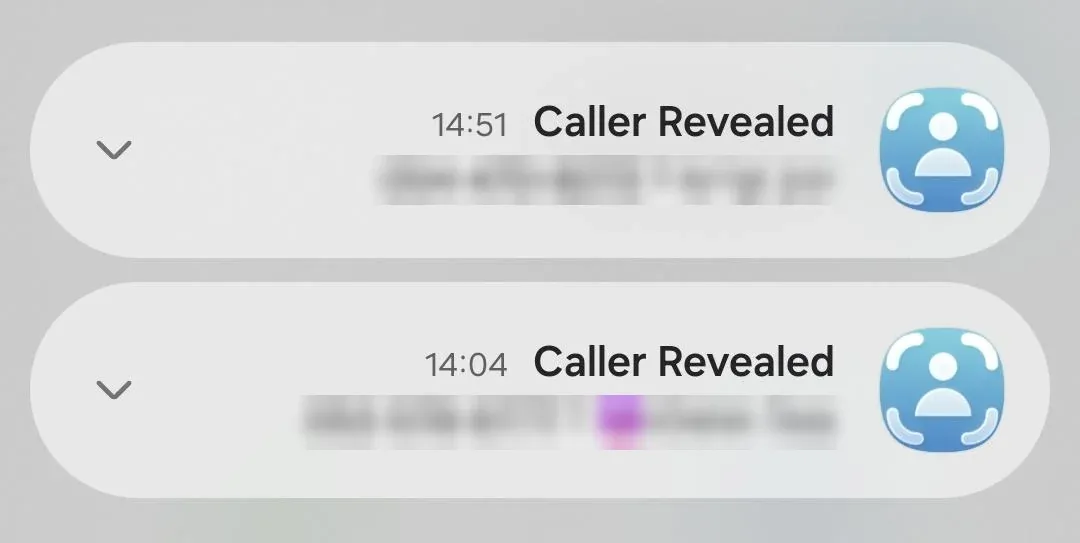
When a name also appears
The name appears when the number is in our database or in the contacts you synced in the app. If there's no match, you'll see only the number, and that's normal. To have callers already saved on your phone identified by name, sync your contacts.
iPhone settings that can stop identification
- Live Voicemail: answers the call before it reaches us. Turn it off: Settings > Apps > Phone > Live Voicemail.
- Silence Unknown Callers: sends these calls straight to voicemail. Check whether it affects identification using the guide to blocking No Caller ID calls.
- The Call Forwarding switch in Settings: forwards all calls, not only when you're busy. Leave it off. Traceback only needs the code from the app.
No Caller ID, Unknown and spoofed numbers
"No Caller ID" means the caller hid their number on purpose. "Unknown" appears when the network didn't pass the number along. Traceback identifies both types. A spoofed number (a caller who shows someone else's number) is something different, and Traceback doesn't identify it. The full differences are in No Caller ID vs Unknown calls and Does Traceback detect spoofed callers.
Privacy note
Only calls you decline are forwarded to Traceback, and we use them only to identify the number. We don't listen to calls and we don't record them.
Troubleshooting
I declined a call and didn't get a reveal. Make sure call forwarding is active and that voicemail didn't answer first. If you're not sure, run the setup again: in the app, Settings > Restart Service.
I only see a number, no name. The number isn't in our database or in your contacts. That's normal.
It worked and then stopped. If you moved to a new iPhone or changed your SIM, you need to turn forwarding on again. See What to do after changing your SIM, phone or carrier.
I didn't get a notification. See How to get a notification when a No Caller ID call is revealed.
Frequently asked questions
How do I identify a No Caller ID or Unknown call on iPhone?
Set up call forwarding once through Traceback, and whenever a No Caller ID or Unknown call comes in, just decline it. The number will appear in the app.
Should I answer or decline?
Decline. Only a declined call is forwarded to us and identified.
Can I identify calls I got before I installed Traceback?
No. You can only identify calls that come in after forwarding is active. Details are in Can I see numbers from calls before using Traceback.
Does it work on every iPhone?
Yes, on any iPhone with a regular line on a major US carrier.
Open this guide on your phone
Setup happens on your phone. Scan to keep these steps open while you do it.
Was this article helpful?
Your feedback helps us write better support content.
Related articles
From the blog

Only 14% of People Answer Unknown Calls Now: Here's Why That's a Problem (and a Solution)
The trust crisis in phone calls is breaking legitimate communication. Here's how to fix it without answering every spam call.

Best No Caller ID Apps for iPhone (2026)
A 2026 roundup

Imposter Scams Cost Americans $3.5 Billion in 2025: and It's Getting Worse
FTC data reveals 1 in 3 fraud reports now involve impersonators, and bank scams lead the pack